
Advent of AI 2025 - Day 17: Building a Wishlist App with Goose and MCP-UI
Advent of AI 2025
Table of Contents
I’ve edited this post, but AI helped. These are meant to be quick posts related to the Advent of AI. I don’t have time if I’m doing one of these each day to spend a couple hours on a post. 😅
The advent of AI series leverages Goose, an open source AI agent. If you’ve never heard of it, check it out!
https://github.com/block/gooseFor Day 17 of the Advent of AI challenge, I built a Winter Wishlist app using MCP-UI.
What I Built#
A wishlist MCP server that renders a visual UI directly in Goose. Users can:
- Add wishes with a quick message to Goose
- View all their wishes in a nicely formatted UI
- Grant wishes when they come true
- Delete wishes they no longer want
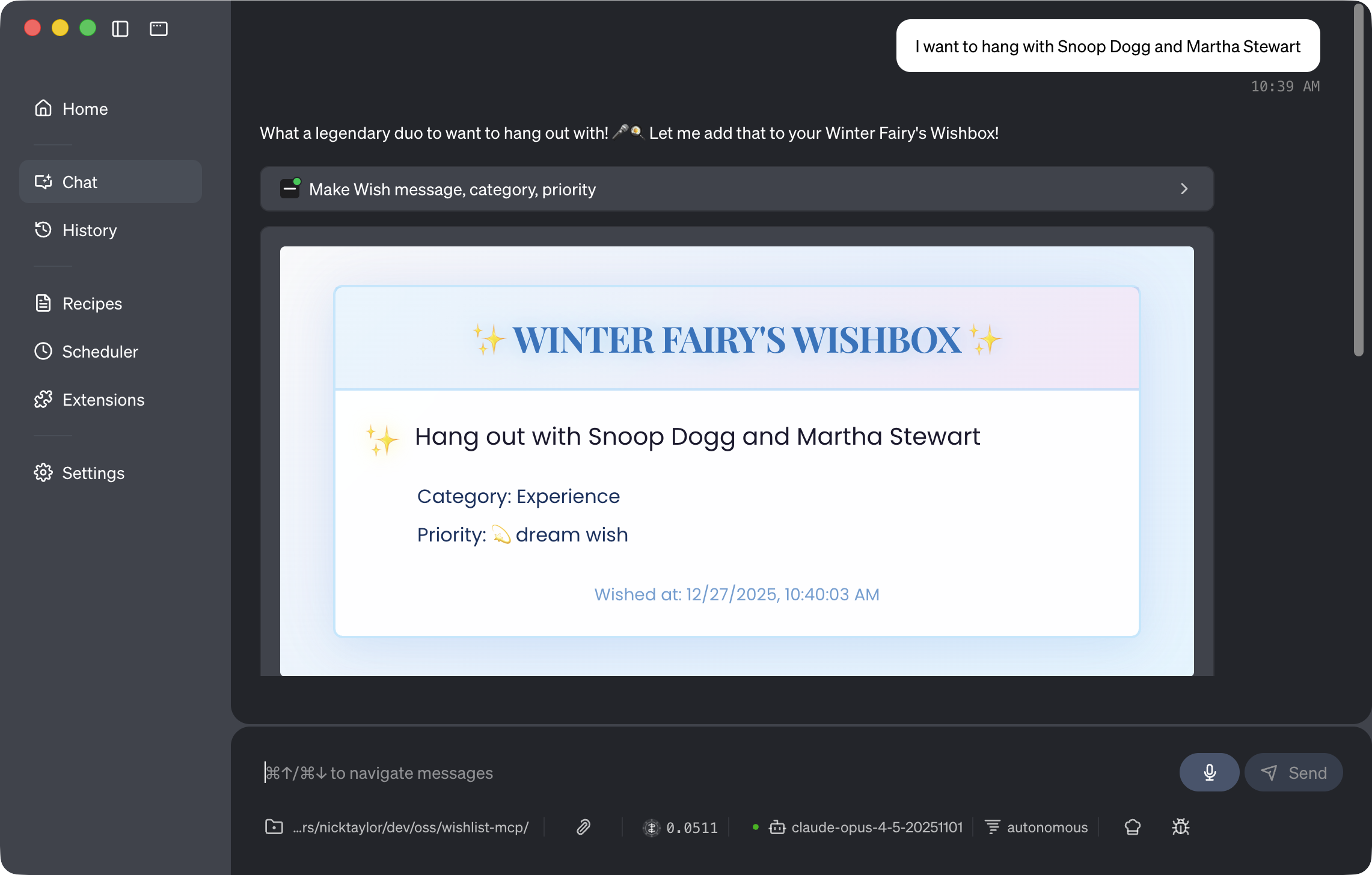
Check out the repo:
https://github.com/nickytonline/wishlist-mcpThe implementation stores wishes in memory based on MCP session ID. Obviously something more robust would make sense for production, but for this challenge it works great.
The ChatGPT App Template Foundation#
I based this on a ChatGPT app TypeScript template I had created for work just before the holiday. Having that foundation made spinning up the wishlist server much faster.
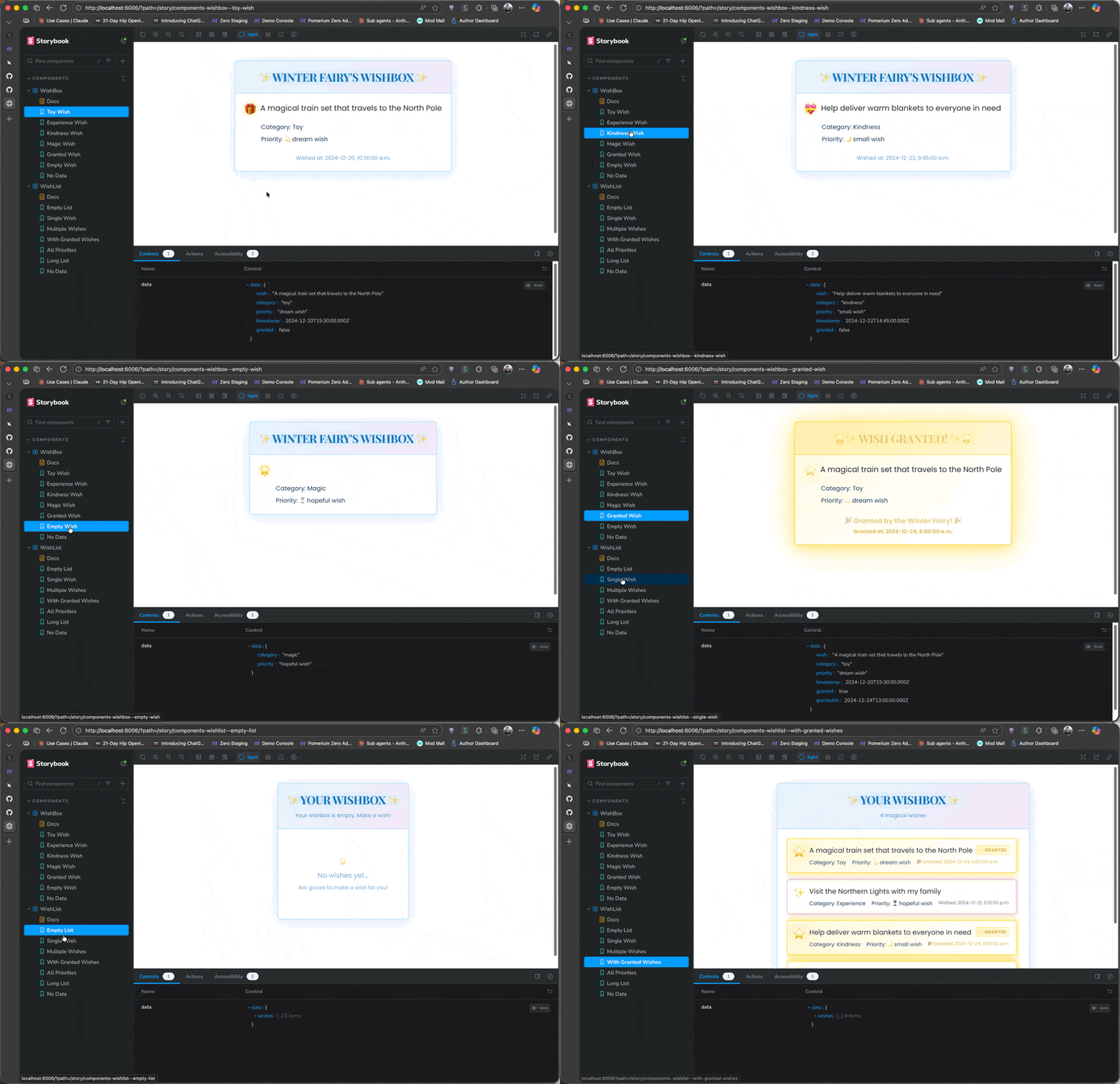
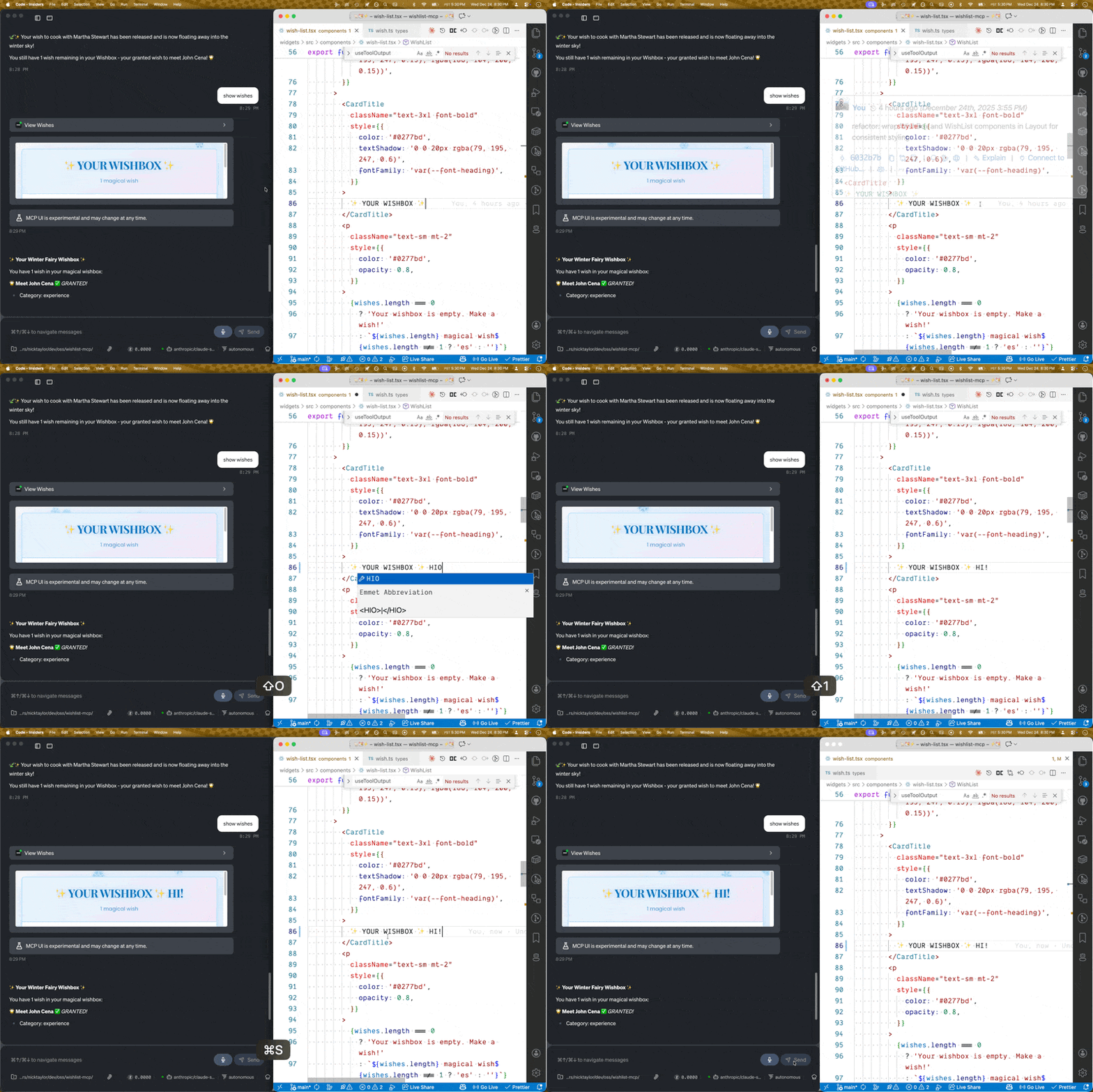
https://github.com/pomerium/chatgpt-app-typescript-templateOne of the best parts of this setup is the development workflow. You can build out your components in Storybook, make live edits to widgets, and see them update in Goose in real-time. This makes iterating on the UI super fast.
The iframe Sizing Battle#
The main issue I ran into was iframe sizing. In ChatGPT apps, the iframe sizing seems to handle itself based on content. But in Goose? Not so much. I had to add some JavaScript to handle the sizing properly.
Initially I thought I was doing something silly because all my iframes weren’t sizing to my content. There’s additional metadata you can add to the UI resource, but that didn’t change anything. I even noticed while debugging that my iframe was inside another iframe, which seemed odd.
Then Rizel in a GitHub discussion (@blackgirlbytes) came through with the solution. You need to use a ResizeObserver on your content container and post messages to the parent frame for Goose:
// Auto-resize the iframe to fit content - observe only the containerconst container = document.querySelector('.container');if (container) { // Send initial size window.parent.postMessage({ type: "ui-size-change", payload: { height: container.offsetHeight + 100 } }, "*");
// Observe container only (not document which snowflakes affect) new ResizeObserver(entries => { entries.forEach(entry => { window.parent.postMessage({ type: "ui-size-change", payload: { height: entry.contentRect.height + 100 } }, "*"); }); }).observe(container);}That fixed it completely.
Key Learnings#
MCP-UI is powerful for creating visual interfaces right in your AI chat. Having a solid template to start from made a huge difference. If you’re building MCP servers, especially UI-based ones, starting with a good foundation saves a ton of time.
Even if you missed the Advent of AI this year I encourage you to head over to AdventOfAI.dev and jump in.
If you want to stay in touch, all my socials are on nickyt.online.
Until the next one!
Photo by Phil Stanier on Unsplash