Advent of AI 2025 - Day 5: I Built a Touchless Flight Tracker You Control With Hand Gestures
Advent of AI 2025
Table of Contents
I’ve edited this post, but AI helped. These are meant to be quick posts related to the Advent of AI. I don’t have time if I’m doing one of these each day to spend a couple hours on a post. 😅
The advent of AI series leverages Goose, and open source AI agent. If you’ve never heard of it, check it out!
https://github.com/block/gooseFor Goose’s Day 5 of Advent of AI, the challenge was to build “The Homecoming Board.” It’s a gesture-controlled flight arrival display where people wearing gloves and mittens can navigate using hand gestures. No touching screens in the freezing cold. The challenge needed at least two distinct gestures for navigation, real flight data, and audio feedback for gesture recognition was a nice to have.
TLDR; if you’re impatient, I built a cool thing and you can find it at, flightboard.nickyt.co
The Tech Stack#
I built this with TanStack Start (React + TypeScript with SSR), MediaPipe for gesture recognition, and the OpenSky Network API for real-time flight data.
To be honest, this is the first time I build an app with computer vision, so definitely got nerd sniped to do as much of this Advent of AI day as possible. It’s wild how accessible it is to leverage something like computer vision. It was a bit of a throwback to an awesome live stream I did with Gant Laborde about AI and Tensorflow.js.
I went with TanStack Start because I’d already used it for a significant project, the Pomerium MCP app demo.
https://github.com/pomerium/mcp-app-demoHaving API endpoints available is a classic way to avoid CORS issues with third-party APIs. In this case, I could proxy requests to the OpenSky API through my own server function.
So here’s what I got working:
- Real-time hand tracking with MediaPipe’s WASM runtime
- Four gesture types (closed fist, open palm, thumbs up, thumbs down)
- Independent gesture detection for left and right hands
- Live flight data from OpenSky Network with smart caching via TanStack Query
- Audio feedback for each gesture (option to turn off sound)
- A gesture training system that adapts to your hand
- Light and dark winter themes with WCAG AAA compliance
- Although not an ask of the challenged, I added the ability to select your camera if you have more than one
- Works pretty well on mobile
Starting with a PRD#
I started by generating a Product Requirements Document (PRD) to map out the work. This has become my go-to for these challenges. They provide all the info for the challenge, but then I can take that and apply how I think it should be implemented.
Hand Tracking with MediaPipe#
Getting MediaPipe running in the browser was a bit clunky for me initially. I was new to MediaPipe and was trying to follow the basic setup, but fumbled for some reason so I tried the TensorFlow.js which worked, but then I eventually got MediaPipe working.
I decided on the MediaPipe WASM version specifically because I wanted to deploy this to Netlify. The WASM runtime is running in-browser, which meant I could host it on any PaaS without worrying about Python. That said, I know Vercel supports Python now.
// useMediaPipe.ts - Custom hook for MediaPipe integrationconst hands = new Hands({ locateFile: (file) => `/mediapipe/${file}`,});
hands.setOptions({ maxNumHands: 2, modelComplexity: 1, minDetectionConfidence: 0.7, minTrackingConfidence: 0.5,});The hand tracking runs at 30-60 FPS with landmark visualization. I mirror both the video feed and the landmarks so it feels natural when you move your hand.
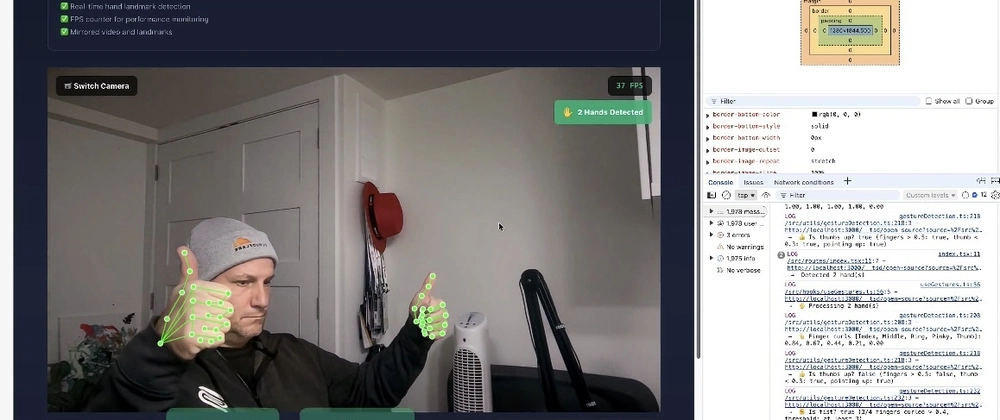
One quirk I ran into: the green skeleton overlay (the hand landmarks visualization) was appearing on my head along with my hands. MediaPipe was detecting facial features as hand-like shapes. Not really a quirk probably, but I fixed my logic by only rendering the skeleton if at least one hand was actually detected.
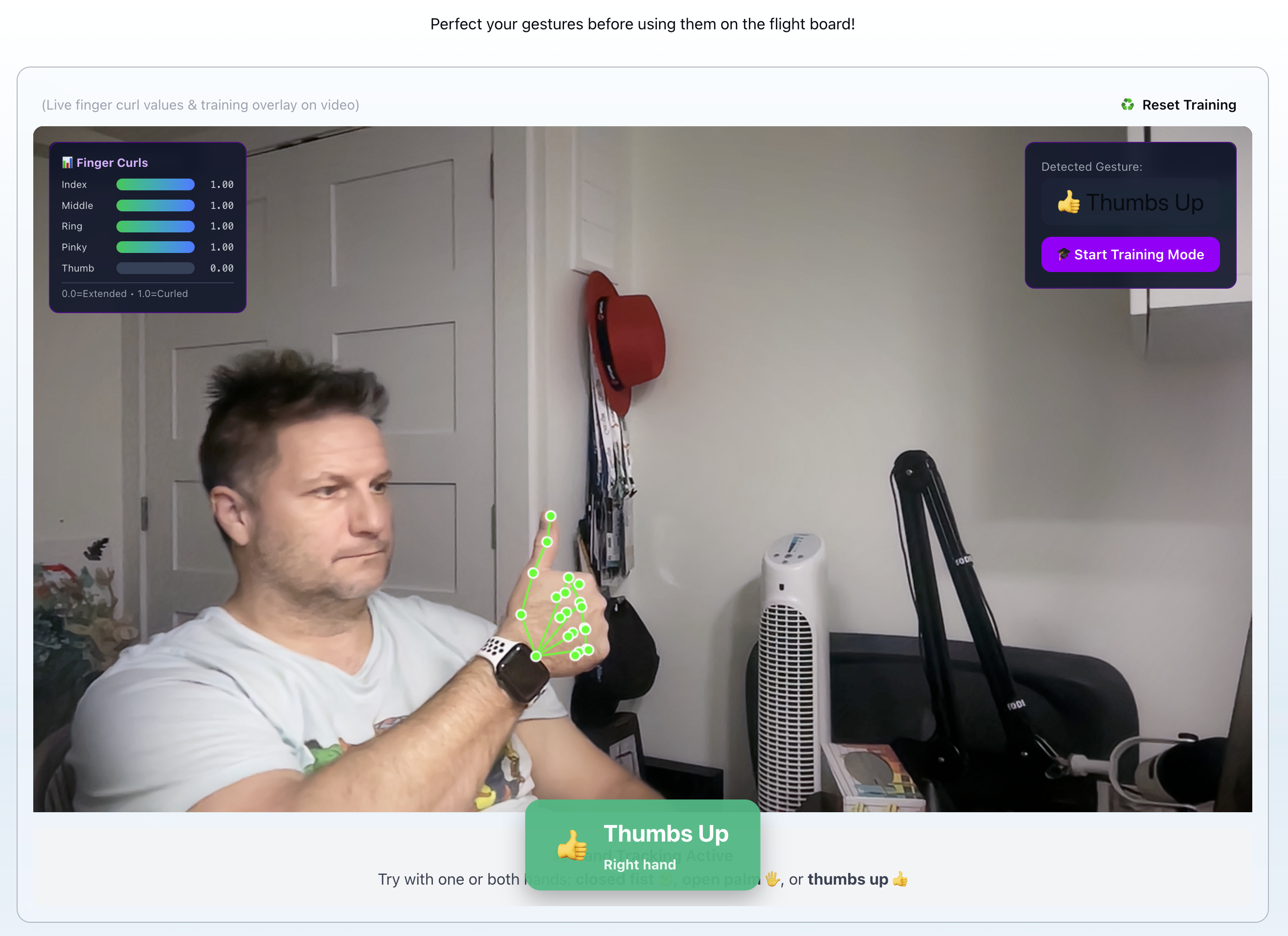
I also went the extra mile beyond the challenge requirements. The challenge asked for at least two gestures, but I implemented four: closed fist, open palm, thumbs up, and thumbs down. I also made it detect both hands independently, so each hand can make different gestures simultaneously.
Gesture Detection: The Hard Part#
Detecting gestures turned out to be trickier than I expected. My initial approach used fixed thresholds based on finger curl ratios. The math is simple: measure the distance from each fingertip to the wrist, divide by the distance from the knuckle to the wrist, and you get a curl ratio. Values below a threshold mean the finger is curled.
// Finger curl ratio: distance(tip, wrist) / distance(knuckle, wrist)const fingerCurl = (finger: FingerLandmarks) => { const tipDist = distance(finger.tip, wrist); const knuckleDist = distance(finger.knuckle, wrist); return tipDist / knuckleDist;};
// Gesture classificationconst isClosedFist = fingersCurled >= 4 && avgCurl > fistThreshold;const isOpenPalm = fingersExtended >= 4 && avgCurl < palmThreshold;This worked great during my initial development. But when I tested it in different lighting conditions and at different distances from the camera, the gestures barely registered. Different hand positions and lighting conditions completely threw off my fixed thresholds.
The fix was adding a gesture training mode. Users make each gesture a few times, and the system calculates personalized thresholds with variance-aware margins. Higher variance in training data means more lenient thresholds, which handles the natural variation in how people make gestures.
This was actually one of the bonus features in the challenge, but it turned out to be essential rather than optional. Without it, the gesture detection was too brittle to be usable.
This was a classic case of overfitting to my own training data. The lesson: when building ML systems (even simple ones), always account for variance. Fixed margins work in demos, adaptive margins work in production.
Flight Data Integration#
For flight data, I used OpenSky Network’s free API. It doesn’t require authentication, which made the setup simple. The API returns real-time flight positions, and I filter for arrivals near a specific airport using a bounding box.
TanStack Query handles all the caching and auto-refresh logic:
const { data: flights, isLoading, error } = useQuery({ queryKey: ['flights', 'arrivals'], queryFn: fetchFlights, // Caching and refetching configuration // Cache for 5 minutes in dev, 20 seconds in prod staleTime: import.meta.env.DEV ? 300000 : 20000, gcTime: 5 * 60 * 1000, // Cache for 5 min refetchInterval: 30_000, // Auto-refresh every 30s retry: 3, // Exponential backoff});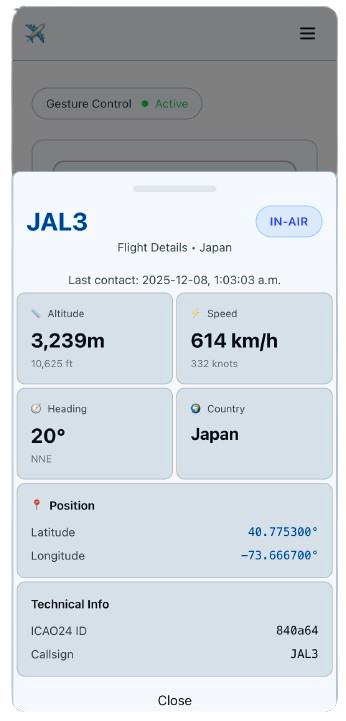
OpenSky Network has strict rate limits (10 second minimum interval), and I got rate limited at one point during development. That’s why I bumped the staleTime up to 5 minutes in dev mode. If you do get rate limited, you can use a VPN to get a new IP, which gives you more API time.
The production staleTime of 20 seconds with a 30 second refetchInterval keeps the data current without hammering the API.
Audio Feedback#
The challenge required audio feedback for gesture recognition, which turned out to be essential. I added distinct sounds for each gesture: a whoosh for closed fist, a chime for open palm, a ding for thumbs up, and a buzz for thumbs down.
The sounds are pre-cached and only play when the gesture changes, not on every frame:
// gestureAudio.ts - Audio caching and playbackconst audioCache = new Map<GestureType, HTMLAudioElement>();
export const playGestureSound = (gesture: GestureType) => { let audio = audioCache.get(gesture);
if (!audio) { audio = new Audio(GESTURE_SOUNDS[gesture]); audio.volume = currentVolume; audioCache.set(gesture, audio); }
audio.currentTime = 0; // Reset for quick replay audio.play().catch(() => {}); // Ignore autoplay errors};You can toggle the sound on and off in the settings, which is essential when you’re testing the same gestures over and over.
Although this was a bonus, I can see this being an accessibility win. Imagine a screen reader reading out flights and navigating to them, the user could give a thumbs up to say, “This flight!”
The Flight Detail Modal#
Selecting a flight with a thumbs up gesture opens a detailed modal with all the flight information: country flag, callsign, position, altitude, speed, heading, and last contact time.
For the modal UI, I pulled in ShadCN components, specifically the Dialog and Drawer. I’ve used these before in this scenario. The Dialog handles the desktop modal experience, and the Drawer gives you that nice slide-up-from-bottom interaction on mobile. Both come with proper accessibility baked in, which is always a win.
<div className="fixed inset-0 z-50"> <div className="absolute inset-0 bg-black/70 backdrop-blur-sm z-0" /> {/* Backdrop */} <div className="relative z-10"> {/* Content on top */} {/* Modal content */} </div></div>On mobile, I swap the modal for a drawer component that slides up from the bottom. Checking window width determines which component to render.
Theme System#
I built light and dark winter themes to something very similar to day 4.
Advent of AI 2025 - Day 4: Building a Winter Festival Website with GooseThe light mode has pure white backgrounds with deep ice blue primary colors and a 13:1 contrast ratio for WCAG AAA compliance. The dark mode uses a deep blue-purple night sky with bright glowing blues.
The theme persists to localStorage and respects system preferences on first load.
Custom Hooks: The Interesting Bits#
One thing I’m particularly happy with is the custom hooks architecture. This project ended up with 8 custom hooks, and they made the components way cleaner.
useMediaPipe handles all the MediaPipe initialization and cleanup. It sets up the Hands instance, configures the options, and returns the processing function. This hook encapsulates all the WASM loading logic so components don’t need to know about MediaPipe’s internals.
useWebcam manages camera access and device selection. It handles permission requests, lists available cameras, and persists my camera choice to localStorage. This was crucial since I have multiple cameras and wanted to switch between my laptop camera and an external webcam.
useGestures is where the gesture detection logic lives. It takes hand landmarks from MediaPipe and returns the current gesture type. This hook also handles the debouncing (300ms stability required before a gesture is recognized) and the variance-aware threshold calculations from the training data.
useFlightData wraps TanStack Query for flight fetching. It handles the OpenSky Network API calls, parsing the response into our ProcessedFlight format, and managing the cache/refetch intervals. All the flight data logic is isolated in this one hook.
useLocalStorage is a simple but essential hook that syncs state with localStorage. I use it for camera selection, theme preference, and volume settings. Any time the state changes, it persists automatically. I usually add this to most React projects.
useWindowFocus detects when the browser tab loses focus so we can pause the camera. This was a battery life saver. Without it, MediaPipe would keep processing frames even when I switched tabs, draining CPU for no reason. Not just a battery life saver, but also, if you’re not focused on the window, you don’t want to be registering hand gestures.
useGestureTraining manages the gesture training flow. I make each gesture multiple times, and this hook collects the finger curl data, calculates mean and standard deviation, and generates the personalized thresholds with variance-aware margins.
useAudio handles all the sound effects. It pre-caches the audio files, manages playback, and only plays sounds when gestures change (not on every frame). It also respects my volume settings and mute toggle.
Custom hooks are pretty common for a React app, and I’m pretty happy with the ones I ended up with.
What I Learned#
As previously mentioned, this is the first time I createa computer vision app, so a couple learnings:
-
Gestures need real-world testing and adaptive thresholds. My fixed thresholds worked in one lighting condition but failed in others. Even with the gesture training, I think there’s still some tweaks to be had
-
Window focus detection saves battery. MediaPipe kept running even when I switched tabs, draining CPU. Pausing the camera when the window loses focus fixed that. This hadn’t occurred to me initially but aside from saving battery, it also prevents hand gestures from being detected when you’re not using the app. Discovered that by seeing it in action while I was in another app.
What’s Next#
The app is deployed and working at flightboard.nickyt.co. Go have some fun and play around with it! You can train your own gestures and navigate flights with hand movements. The code is in my Advent of AI 2025 repo if you want to check it out.
https://github.com/nickytonline/advent-of-ai-2025There’s still polish to do. The gesture detection could be more robust, the UI could use some refinement, and there are edge cases I haven’t handled. But this is Advent of AI, which means it’s time to move on to the next challenge.
Potential future improvements include multi-airport support, flight trajectory visualization, two-handed gestures, and PartyKit integration for multi-user control. But for a 48-hour build, I’m happy with where it landed.
If you want to stay in touch, all my socials are on nickyt.online.
Until the next one!