
Stop using cat
Table of Contents
If you use cat in your daily workflow, this is a tiny upgrade with lots of upsides and honestly, no downsides aside from you need to install it as it’s not native.
What is bat?#
bat is a cat alternative with syntax highlighting and line numbering to name a few features while being a drop in replacement to workflows you have that use regular cat.
Install#
# macOSbrew install bat
# Ubuntu / Debiansudo apt install bat
# via installation scriptcurl -s https://sh.rustup.rs | batJust FYI, once it’s installed, on some Linux distros, the binary is named batcat.
Six practical ways to use bat#
By default you get all the bat goodness when you don’t specify any flags. Syntax highlighting, line numbering etc. Here’s some common use cases.
Read config files quickly#
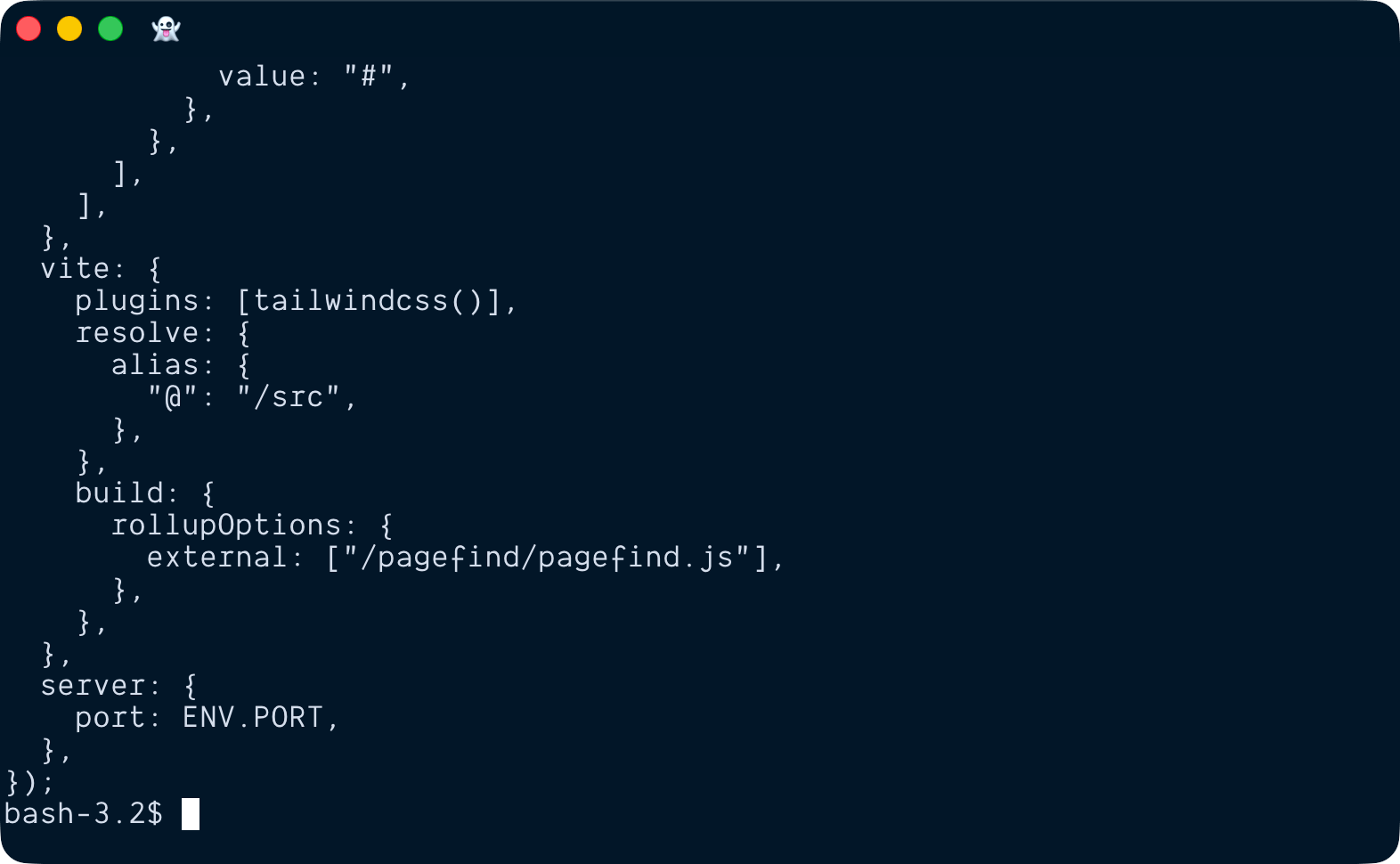
bat ./astro.config.mjsWith cat:
With bat:
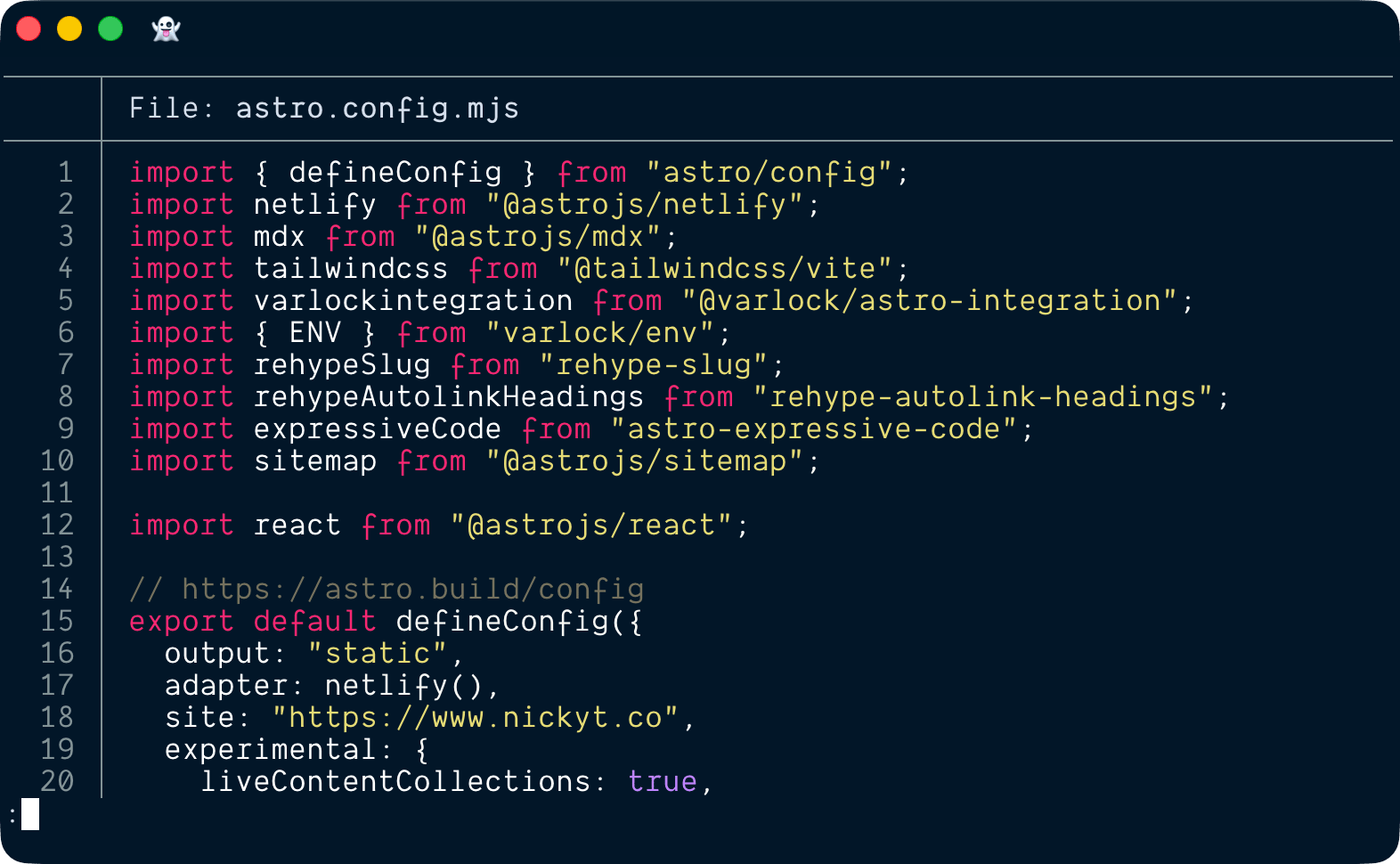
You get visual structure without opening an editor.
Show line numbers while debugging#
bat -n src/server.tsLine numbers make it much easier to point teammates to exact spots in a file.
Use plain mode for logs or scripts#
bat -p logs/app.log-p strips the decorations when you want cleaner output.
Focus on a line range#
bat --line-range 40:120 src/index.tsGreat when you only need one section of a file.
Quickly review changed files#
git diff --name-only | xargs batUseful for a quick scan of touched files before a commit or review.
Navigate large files with a pager#
bat large-file.logbat automatically pipes output through a pager like less when the file is longer than your terminal window. No need to manually pipe to less like you would with cat.
Should you alias cat to bat?#
I alias it, because YOLO, but if you do run into issues, just alias it to something other than cat, or not at all.
alias c='bat'TL;DR#
bat is one of the easiest terminal upgrades you can make. If you read code, logs, or config files in the terminal every day, switching from cat to bat is a no brainer.
If you want to stay in touch, all my socials are on nickyt.online
Until the next one!